

80% of creators say time is their biggest challenge. That’s why I tried cloning myself with HeyGen AI. I wanted to see if a virtual twin could double my output without harming my voice.
I’m an entrepreneur aiming to build side income and scalable content. I wondered if cloning myself with HeyGen could keep my authenticity. HeyGen is an AI video platform that creates realistic avatars, voiceovers, translations, and digital twins. I typed scripts, created a digital twin, chose a voice and language, and made videos.
I’m sharing my first-person experience because it was hands-on. In this HeyGen AI experiment, I’ll explain why I started, what worked, and what didn’t. I aim to give you honest results so you can decide if cloning yourself with HeyGen AI is right for marketing, training, or social clips.
My goals were clear: test cloning accuracy, see if duplication works for product demos and personalized outreach, and judge ease of use. I also considered account setup, subscription versus pay-per-video costs, and ethical considerations. This is about creating a virtual self with HeyGen AI, not biological cloning.
Keep reading for a straightforward HeyGen AI cloning experience. I’ll share the step-by-step process, honest outcomes, and practical tips for entrepreneurs, trainers, and marketers. This is for those looking to scale without losing their voice.
I Cloned Myself with HeyGen AI… Here’s What Happened
I started with HeyGen and went through the setup. It asked for my avatar, script, voice, and rendering settings. The interface helped me upload photos and videos for my digital twin. It also gave tips on lighting and angles.
Uploading was easy. The platform suggested the best frames and gave feedback in real-time. The cloning process was organized, with clear instructions on avatar selection and language.
I made a custom avatar and waited for the first render. The HeyGen AI experience included a progress tracker and a quick preview. The speed was good for a first-generation clone.
Then, I tested the script-to-video workflow. I typed scripts, chose my digital twin, and swapped avatars. The HeyGen ai clone technology handled voiceovers and translations well.
I made explainer videos, marketing clips, and a training video. Each type showed different strengths. The HeyGen ai clone results were polished for static delivery, and switchable voices helped with localization.
When I watched the rendered files, I checked facial detail and lip-sync. The cloning experiment outcome HeyGen ai captured likeness and sync well. However, small emotional cues and complex gestures were not always perfect.
On the technical side, I reviewed resolution and export options. The platform offered background replacement and product demo support. Rendering times varied, and I had to retry one render, but most exports worked well.
I tried using it for explainer segments, product demos, and personalized outreach. The cloning with ai technology saved time on repeatable content. Some clips needed extra edits to match my brand voice and timing.
My HeyGen ai review highlights the workflow clarity and practical utility. The cloning process with HeyGen ai is great for creators who need fast, editable video assets. My HeyGen ai experience and the cloning experiment with HeyGen AI showed me what the technology can and cannot do.
HeyGen AI review and cloning process — hands-on experience and results

I tested the HeyGen ai cloning process on real product and demo videos for a B2B SaaS client. I want to share what worked and what did not. The clone creation with HeyGen ai began from a founder video, not a photo, to capture natural movement. I used explicit consent and a live webcam verification step to meet safety and ownership needs.
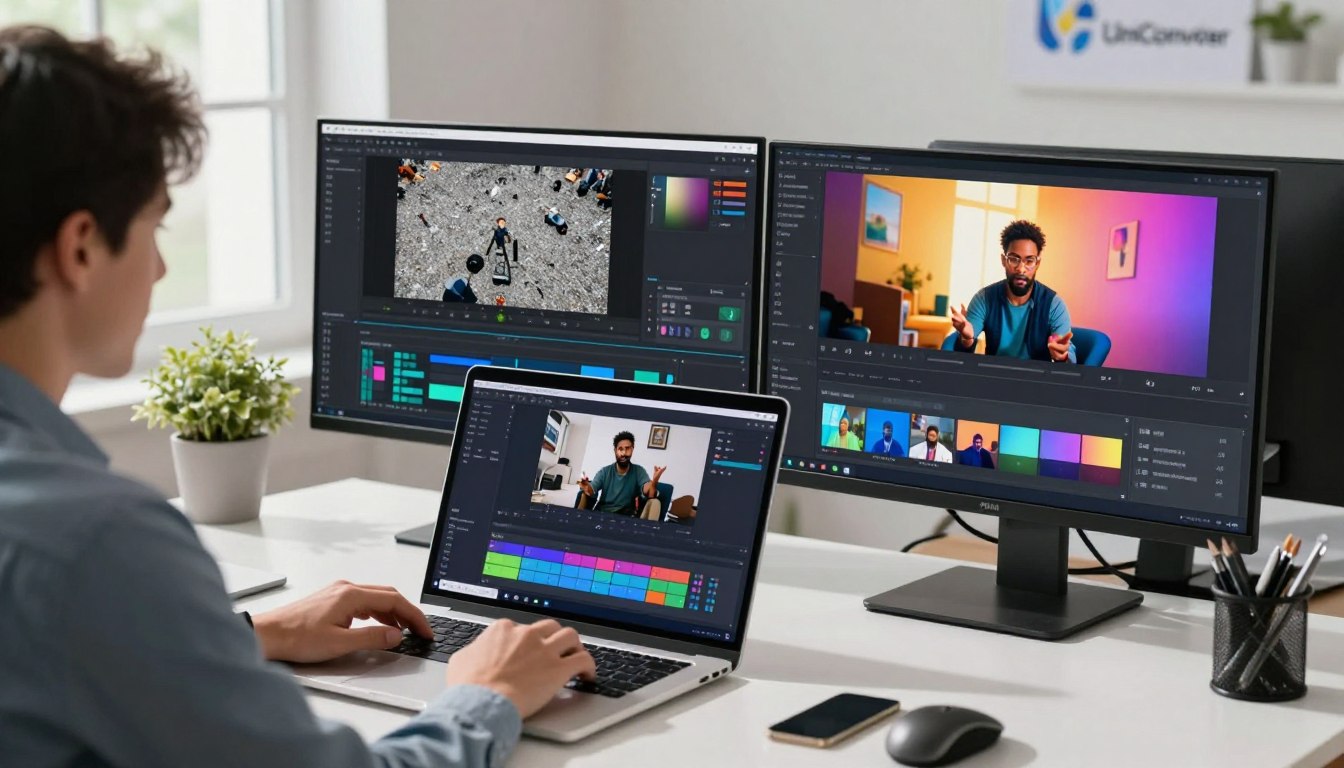
In day-to-day use, the HeyGen ai clone experience felt efficient. I could add a screen recording, place the avatar, paste the script, assign the voice, and generate output inside AI Studio. This workflow produced at least two videos in a single day from scratch. It boosted output and showed clear HeyGen ai cloning results for talking-head content.
When I measured HeyGen ai duplication accuracy, I saw mixed signals. Facial likeness and lip-syncing were strong for standard lines. But, micro-expressions and nuanced emotional cues were less convincing. The HeyGen ai replication process handled timing well in simple scenes. Yet, complex gestures sometimes required manual script timing.
The HeyGen ai clone benefits were obvious for scale. I saved hours by avoiding repeat recordings. I could clone myself with HeyGen ai to produce consistent branding across demos and marketing videos. Translation features promised multi-language delivery without new shoots; I treated this cautiously for technical help content because accuracy still needs vetting.
Some limitations surfaced during production. Eye contact and dynamic camera moves could look off, and gestures grew repetitive at scale. Voice cloning captured tone, but scripts needed phonetic tweaks to avoid mispronunciations. For those reasons, I kept human oversight on edits and combined HeyGen clips with occasional live footage.
Use-case outcomes varied by format. Explainer videos were clear and efficient, training videos stayed consistent but sometimes felt flat, and social media clips gave fast turnaround for volume. I recommend using the clone for repetitive, scripted content and filming live for high-emotion or complex demonstrations.
My workflow tips are practical: keep scripts short, write natural phrasing, A/B test avatar styles, and use translations and subtitles to expand reach. I found small iterations to the source video — calmer movement and steady framing — fixed many replication quirks in the HeyGen ai replication process.
Business impact was tangible. Faster demo production, scalable course modules, and personalized funnels made the HeyGen ai clone review relevant for side businesses. The client saw growth in signups tied to the content pipeline, backed by analytics and a tighter production loop.
I kept ethical use central to this experiment. I disclosed AI use, respected likeness rights, and followed consent steps when creating avatars for clients. For a full write-up on workflow and verification, see this detailed HeyGen ai clone review.
In short, cloning technology HeyGen ai brings real gains for entrepreneurs who want to scale content while staying mindful of accuracy limits and legal safeguards.
Conclusion
I tried cloning myself with HeyGen AI to see if it could save time and keep my voice the same. The experience was surprising — a 60-second idea turned into an editable clip in minutes. Soon, I had full publish-ready videos ready to go.
This showed me that HeyGen AI can speed up editing, batch scripting, and repurposing clips for different platforms. It changed how I plan and scale my content.
HeyGen is great for scaling content, creating multilingual outreach, or making consistent training materials. It’s perfect for batch production and short-form ads, offering SEO-friendly captions and fast exports. But, for emotional authenticity or complex demos, live shoots are still the best choice.
Start with a small pilot to test HeyGen on one video type. Track how much time and money you save, and then improve. If you want to free up hours for strategy and growth, consider using HeyGen with platforms like TopView.
Using HeyGen saved me a lot of time. I could make a month’s worth of content in just a few hours without losing quality.
Remember to disclose AI use when needed, follow legal and ethical standards, and mix AI clips with real appearances. Cloning myself with HeyGen was both surprising and practical. It can boost revenue and reach without burning out, if used wisely.
These thoughts on HeyGen AI conclude my cloning experiment. They invite you to consider if a virtual self could help you expand your impact.


Leave a Reply