
By CeCe Chamberlain | Inside Your Hustle
Disclosure: This article accompanies my sponsored Packify.ai YouTube video. I may earn a commission from qualifying purchases made through my promotional links or discount code.
Have you ever dreamed of launching your own product, only to realize that creating the product is just half the battle? There’s branding, labeling, packaging design, product photography, and eventually figuring out how to turn your design into a physical package.
If you’re a small business owner or just getting started with ecommerce, hiring a professional packaging designer might not be in your budget. So what if artificial intelligence could help simplify that process?
That’s what I explored in my latest video, testing Packify.ai, an AI-powered packaging design platform that helps users create, customize, preview, and export product packaging designs. Instead of simply browsing the website, I created a fictional product and took it from an initial concept to an exportable dieline. Let’s get into it!
Watch My Packify AI Review and Tutorial
I Designed Product Packaging With AI! | Packify AI Review
In the video, I create ClipCast, a fictional mini wireless microphone, correct the packaging lettering, inspect the box in 3D, generate product photographs, and open the exported packaging dieline.
What Is Packify AI?
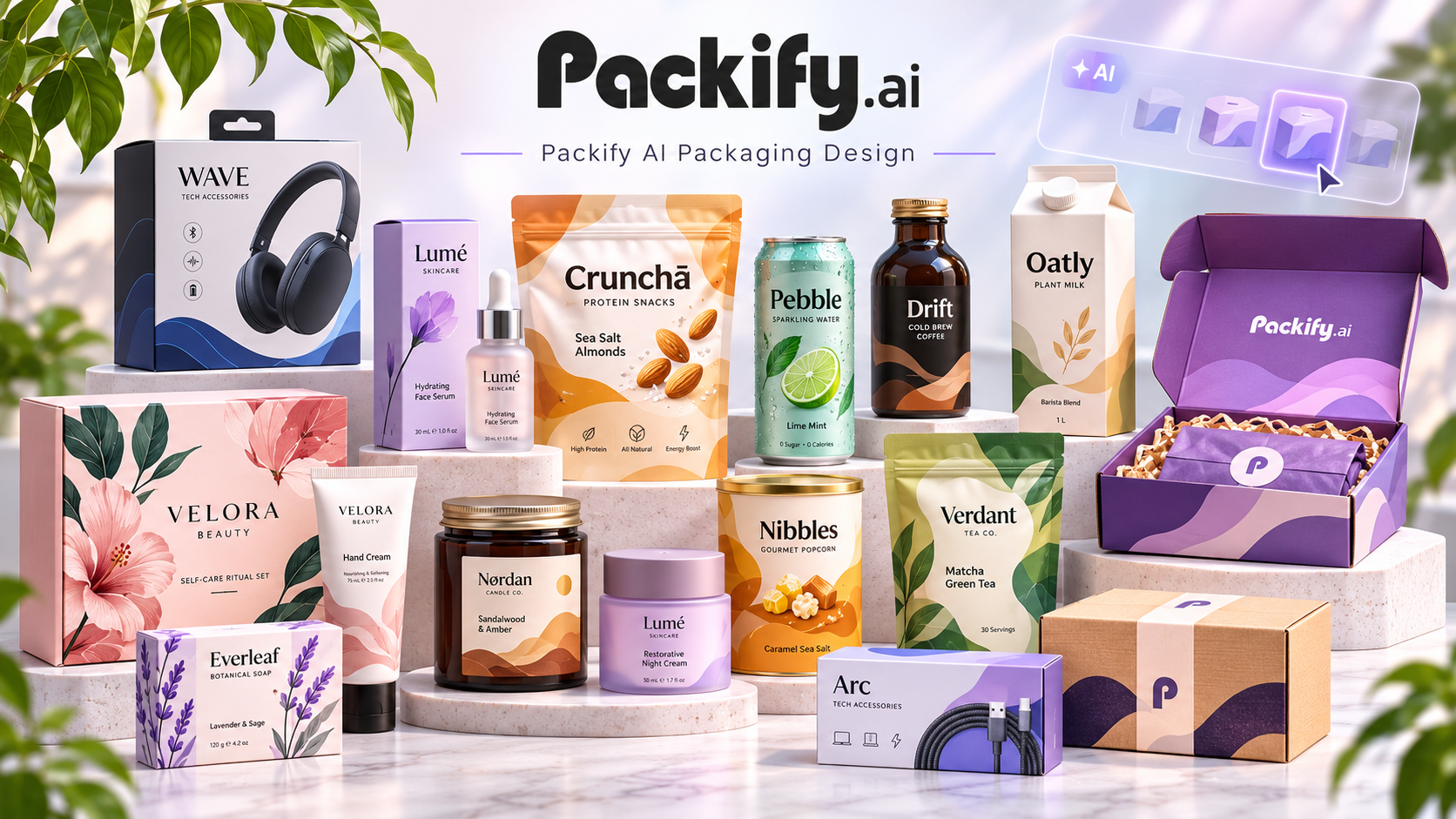
Packify.ai is a web-based AI packaging design platform for entrepreneurs, ecommerce sellers, brands, and designers. One of its most interesting features is the ability to describe a packaging idea in ordinary language and have AI generate a visual design. But Packify goes beyond producing a pretty picture.
- AI-powered packaging creation using text prompts
- Layered editing and design customization
- Packaging mockups and 3D previews
- AI product photography and background generation
- Exportable packaging dieline files
The goal is to bring several stages of the packaging design workflow into a single platform. And naturally, I wanted to see how much of that worked in practice.
Step 1: Creating Product Packaging With AI
For my experiment, I invented ClipCast — Mini Wireless Microphone, a fictional compact microphone for content creators, vloggers, and people recording audio on the go. I wanted a package that looked like something you might find in an electronics store.
My starting concept was a modern black-and-purple box with a prominent microphone image, clean typography, and the tagline “Create Anywhere.” Instead of manually drawing everything, I described the product, its intended customers, and the look I wanted.
Packify generated an initial concept, and I could then give additional instructions to adjust the appearance. I asked it to make the microphone more prominent and the design feel more premium. That conversational process is useful when you know the visual direction you want but aren’t comfortable building it from scratch in traditional design software.
My takeaway: AI packaging concepts can help explore branding directions before committing to a final design.
Step 2: Editing the Packaging Design
Now, AI doesn’t always get everything perfect. During my ClipCast demonstration, some lettering along the sides of the box didn’t come out right. This is exactly the kind of detail a real business needs to catch.
Instead of generating the entire package again, I used Packify’s editing controls to correct the ClipCast lettering on one side and the “Create Anywhere” tagline on the other. That mattered because the result became cleaner without losing the design I liked.
Product names, label wording, typography, and placement deserve manual review. Attractive AI images are only a starting point if you intend to use them for real customers.
My takeaway: The ability to make manual corrections is essential when you want packaging that looks professional.
Step 3: Previewing the Packaging in 3D
A flat design may look great on a computer screen, but what happens once it’s wrapped around a box? Packify’s 3D preview let me rotate the ClipCast package and inspect the front, sides, and back.
This helped me look at the side lettering after my corrections and see how the graphics sat on the intended panels. A 3D preview can reveal issues that aren’t obvious in a flat image, such as artwork sitting too close to an edge or an unbalanced side panel.
My takeaway: The 3D mockup helps connect a digital design to the appearance of a possible physical package.
Step 4: Creating AI Product Photography
Once a package looks promising, the next question is how to present it in marketing materials. Traditional photography can require equipment, lighting, props, a backdrop, and plenty of preparation.
For ClipCast, I uploaded our packaging image into Packify’s AI product photography tool and chose from the available background styles. First, I tried a desk scene that gave the box a more relatable, everyday look. Next, I experimented with a dramatic purple-crystal setting that looked more like a premium advertisement.
The two looks showed how the same packaging concept might be presented in different campaigns. They also showed why it’s important to inspect AI imagery closely—odd-looking props, distorted packages, or inaccurate lettering should be corrected before you use an image in real marketing.
My takeaway: AI photography can help explore product-marketing concepts before arranging a professional shoot.
Step 5: Exporting a Packaging Dieline
This was one of the most interesting parts of the workflow. A manufacturer generally needs more than a picture of a finished box. A dieline is an unfolded layout that indicates how packaging is meant to be printed, cut, creased, and assembled.
What Does a Dieline Show?
- Front, back, and side panels
- Cut and fold or crease lines
- Top and bottom flaps and assembly areas
- Artwork placement and bleed areas
- Dimensions and other production information
In my demonstration, I explored Packify’s export settings, selected the PDF dieline option, and opened the exported document. That let me inspect the unfolded ClipCast artwork and the manufacturing-related information rather than stopping at the 3D mockup.
Packify describes its export functionality as producing dieline files intended for manufacturing and sampling. But before ordering real packaging, you should still confirm dimensions, materials, print specifications, and production requirements with your own manufacturer or printer. AI can make preparation easier; it does not eliminate those checks.
My takeaway: Dieline export helps move a packaging concept toward the practical production-planning stage.
Who Could Benefit From Packify AI?
Ecommerce entrepreneurs can explore packaging directions for new or private-label products before committing to production. Small business owners can experiment with brand presentation. Content creators considering merchandise can visualize physical packaging. And side hustlers can test the look of a new product idea without starting with complicated design software.
What I Liked—and What to Watch Out For
My favorite part was moving through multiple stages of the packaging process without jumping between unrelated tools. I could prompt the AI, refine the design, fix lettering manually, examine the box in 3D, experiment with photography, and inspect the dieline.
At the same time, a polished AI result is not a substitute for checking the details. Always review text for mistakes, inspect the design at different angles, check whether product photos represent the package accurately, and verify production files with your printer.
Is Packify AI Worth Trying?
If you’re interested in ecommerce, product development, or small-business branding, Packify could be worth exploring. Its appeal in this hands-on test is the combination of AI-assisted concept generation with editing, 3D mockups, photography, and dieline export.
ClipCast is just a fictional demonstration product, but it helped me see how a simple idea could become a set of packaging visuals and an exportable production layout. Whether the tool is right for your business will depend on your design needs, subscription costs, and manufacturer requirements.
Try Packify AI
Website: www.packify.ai
Exclusive code: INSIDEYOURHUSTLE — 20% off, subject to Packify’s current offer terms.
Follow Packify on YouTube at @PackifyAI and Instagram at @packify.ai for updates and promotions.
Final Thoughts
Starting a business involves plenty of decisions, and packaging affects how customers see your product. Tools like Packify show how AI can make parts of that creative process more accessible for entrepreneurs with limited resources.
My ClipCast experiment wasn’t about manufacturing an actual microphone. It was about seeing how far I could take a basic product idea using AI-assisted packaging tools—and that was interesting to explore.
Now I want to hear from you! If you could design packaging for any product using AI, what would it be? Would you start a skincare brand, a food business, an electronics brand, or something else? Share your ideas in the comments, and watch the full video above to see the process.
And remember, you are amazing!
— CeCe Chamberlain, Inside Your Hustle

Leave a Reply