
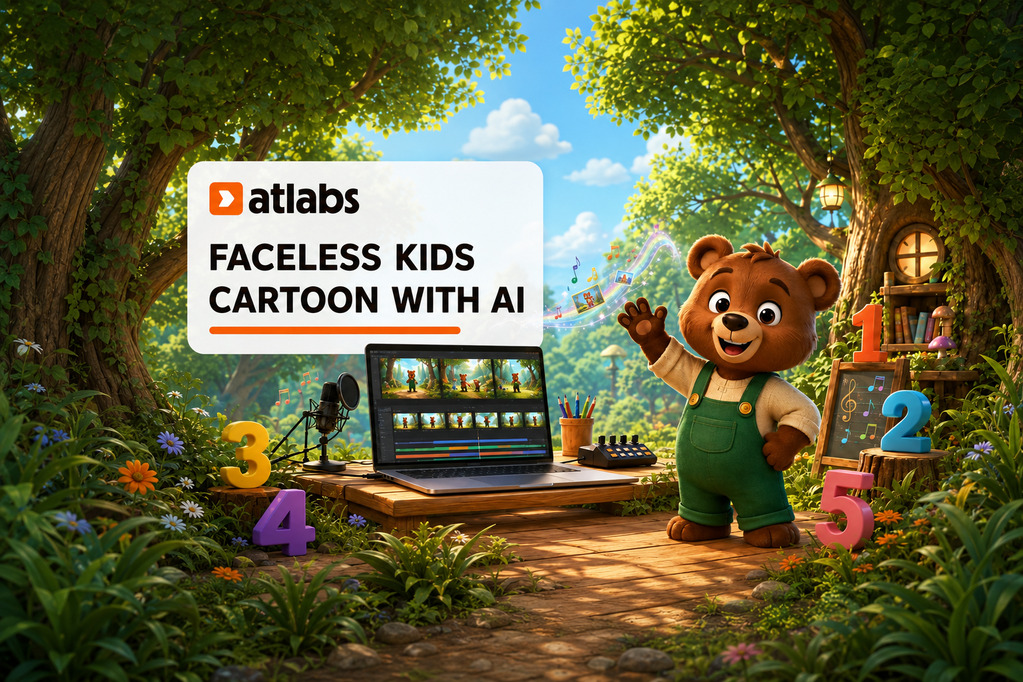
What if you could create an animated kids YouTube channel without showing your face, hiring an animation team, or learning complicated editing software?
That is exactly what I tested with Atlabs. I started with one children’s counting song and turned it into a complete animated video starring Benny the Bear. The finished project includes a recurring mascot, colorful scenes, motion, lip-sync, music, and scene-by-scene editing—all inside one platform.
I also wanted to test whether this could become more than one video. Could Benny return for lessons about colors, shapes, animals, or simple words? Could one creator use the same character and style to build a complete faceless kids channel? That repeatable idea became the real focus of my experiment.
Disclosure: The video featured in this post is sponsored by Atlabs. This blog post itself is not sponsored. Creating AI videos does not guarantee views or income. Results depend on content quality, consistency, audience interest, platform compliance, and meeting YouTube’s monetization requirements.
From One Counting Song to a Complete Kids Cartoon
My goal was not to generate a few random clips and stitch them together. I wanted the video to feel like the first episode of a real children’s channel. That meant the main character needed to stay recognizable, the scenes needed to support the song, and the final result needed to feel connected from beginning to end.
I created Benny as the friendly guide for a counting adventure. He wears green overalls, sings directly to the audience, and moves through a colorful forest filled with large numbers. Instead of the creator being the face viewers recognize, Benny becomes the channel’s identity.
What Is Atlabs?
Atlabs is an idea-to-video platform designed to carry a project from the starting concept to a finished video. It can work with an idea, script, story, or song and help create the characters, visual direction, scenes, motion, and final edit in one creative suite.
For this project, I used the Music Video workflow. Atlabs analyzed my counting song, helped establish the visual style, generated concepts, organized the cast, and built a complete draft. I could then open individual scenes and improve them without moving the project into several different programs.
How I Made the Faceless Kids Video
1. Uploading the Music and Checking the Track Analysis
I began by opening the Music Video workflow and uploading my prepared counting song. Atlabs also supports music links and includes sample tracks, but I wanted the creative direction to follow my original song.
Before continuing, I described the concept: a friendly bear leading a counting adventure through a colorful forest, with large numbers appearing clearly on screen. Adding that direction early helped the platform build around my idea instead of guessing what kind of children’s video I wanted.
Atlabs analyzed the language, mood, genre, tempo, and vocalists in the track. These details affect the pacing and visual direction, so I reviewed them before moving forward. The vocalist count was especially important because the lead vocalist would become the character performing the lip-sync.
2. Choosing a Style and Aspect Ratio
I selected the horizontal 16:9 format because the finished episode was made for a standard YouTube upload. A vertical 9:16 version could later be used for Shorts or Reels, but I wanted the main cartoon to feel like a full episode.
Atlabs offered more than 20 visual directions, including 3D Cartoon, Claymation, Flat 2D Modern, Cozy Plush, Soft Pastel 2D, Kawaii Anime, and Children Anime. I chose 3D Cartoon because it gave Benny a bright, energetic, and easy-to-follow look.
This choice matters for more than one video. Reusing the same general style can help future uploads feel like they belong to the same channel instead of looking like unrelated experiments.
3. Directing the Concepts
After analyzing the song, Atlabs created several concept cards based on its mood, tempo, theme, and the description I provided. Each card offered a different direction for the setting and action.
I was not locked into the first suggestion. I could open any concept and change the setting, mood, character behavior, or educational details. I could also ignore the suggested concepts and describe a completely new one from scratch.
I chose the strongest concept and made sure the numbers would appear clearly while Benny counted. That small adjustment helped the visuals support the lesson rather than simply looking entertaining.
4. Casting Benny as the Recurring Mascot
Atlabs can suggest a cast, or a creator can upload a character. Because I wanted Benny to become a repeatable mascot, I uploaded his reference and placed him in the lead vocalist role. That told the platform that Benny should be the character singing and lip-syncing to the counting song.
Before rendering the full video, I reviewed the generated character, object, and location cards. Benny’s character sheet showed him from multiple angles, including front, side, rear, and close-up views. A reference like this helps keep his face, clothing, colors, and proportions recognizable when the action, lighting, or camera angle changes.

5. Generating the Full Draft
Atlabs offered three ways to continue: a Storyboard, a Video Preview, or a Full Video. The storyboard provides still images for checking the direction, while the preview creates a shorter moving sample. Since I had already reviewed the concept and cast, I selected Full Video to generate all of the scenes.
I could also choose between Standard and Pro generation or open the advanced model list to compare individual options, clip lengths, and credit costs. Standard worked well for the bright cartoon style I selected, while Pro is intended for creators who want the highest available quality and are comfortable using more credits.
The First AI Draft Was Only the Beginning
The first generation gave me the foundation, but I did not treat it as the finished upload. I opened the scene-by-scene editor and reviewed the character, motion, framing, and pacing.
- I edited one visual so Benny waved more directly toward the camera.
- I generated multiple motion options and kept the smoothest take.
- I re-anchored scenes to Benny’s original reference when his design started to drift.
- I adjusted framing and camera movement where the action needed to feel clearer.
- I checked that the numbers, character poses, and backgrounds remained kid-appropriate.
This review stage made the biggest difference. AI can create a strong draft quickly, but the creator still has to make the decisions. I chose which scenes worked, identified inconsistencies, and refined the result until it felt more polished and connected.
Why a Recurring Mascot Matters
A faceless channel still needs an identity. For this concept, Benny fills that role. Viewers do not need to return for an on-camera host because they can return to see Benny’s next adventure.
The same mascot and visual style could support a repeatable series. Benny might teach counting in one episode, colors in the next, shapes after that, and eventually appear in a larger collection of educational songs and stories.

That does not mean every episode should be a copy of the last one. The story, lesson, music, and activities still need variety. The benefit is that the creator does not have to rebuild the channel’s entire visual identity for every upload.
Can a Faceless Kids Channel Make Money?
A faceless kids channel can potentially develop several income streams, but none of them are automatic.
YouTube Advertising Revenue
A channel may become eligible for advertising revenue after satisfying the current YouTube Partner Program requirements and passing YouTube’s review. Reaching an eligibility threshold does not guarantee approval.
Creators also need to label their audience accurately. Content directed at young children will generally need to be designated as made for kids, which changes the features and advertising available on those videos. High-quality, original, safe, and genuinely useful content is especially important in this category.
Family-Friendly Brand Partnerships
A channel that develops a consistent and appropriate audience may attract sponsorships from family-friendly educational products, books, games, learning platforms, or other suitable brands. Any partnership should be disclosed clearly and should fit the audience.
Repeatable Production
The business advantage is not simply “AI makes videos.” It is the ability to establish a mascot, visual style, and workflow that can be reused. Atlabs helps reduce the production bottleneck by keeping the concept, characters, scenes, motion, and editing together.
However, channels that rely on repetitive templates or low-value automated content may struggle to build an audience or qualify for monetization. YouTube’s channel monetization policies emphasize original, satisfying content that demonstrates genuine creative value—even when automated or AI-assisted tools are part of the process.
What Creators Still Need to Do
Atlabs can handle much of the production workflow, but the creator remains responsible for the final result. Before publishing, I would still check:
- Whether the lesson is clear, accurate, and age-appropriate.
- Whether the mascot looks consistent across every scene.
- Whether the music, images, voices, and other assets can be used legally.
- Whether the video follows YouTube’s kids, safety, copyright, and monetization policies.
- Whether the pacing keeps the episode understandable instead of overwhelming.
- Whether the content offers something original rather than repeating the same template.
The software can speed up production, but human judgment is what turns the output into a channel-ready video.
My Final Takeaway
I started with one counting song and ended with a complete animated kids video featuring a reusable mascot, a consistent visual style, edited scenes, motion, lip-sync, and a format that could be repeated across an entire channel.
What stood out to me was having the full process in one place. I could move from Music to Style, Concepts, Cast, full-video generation, and scene-by-scene polishing without rebuilding the project elsewhere.
If you want to see exactly how I built Benny’s counting adventure, watch the video above. You can also try Atlabs and begin with your own song, story, character, or educational idea.
Frequently Asked Questions
What did I create with Atlabs?
I used one children’s counting song to create a complete animated video starring Benny the Bear. The project included character casting, 3D cartoon scenes, lip-sync, motion, editing, and a final polished sequence.
Do I need to show my face to make this type of channel?
No. A mascot, narrator, or animated cast can become the on-screen identity. You still need to provide the creative direction, review the content, and make sure every upload is original and appropriate.
Can I upload my own character?
Yes. I uploaded Benny as the lead vocalist so Atlabs could use him as the recurring singer and mascot. Atlabs can also suggest characters or support additional non-singing characters.
Can I use my own music?
Yes. I uploaded my prepared counting song. Creators should make sure they own or have permission to use every song, voice, image, and other asset included in a commercial video.
Does Atlabs generate the entire video?
Atlabs can generate the full draft from the selected music, style, concept, and cast. I still recommend reviewing every scene and using the editor to improve character consistency, motion, framing, and pacing.
Can AI-generated kids videos be monetized?
AI-assisted content may be eligible when it meets YouTube’s current requirements and offers original, satisfying value. Monetization is never guaranteed, and low-quality, repetitive, or policy-violating content may be rejected or earn limited revenue.
What could Benny teach in future episodes?
The same mascot could support episodes about colors, shapes, animals, simple words, routines, or other age-appropriate learning topics. Each video should still have its own lesson, story, and creative purpose.

Leave a Reply